



Secure, reliable, and ready for distributed networks
EndianOS 6.9.0
EndianOS 6.9.0 brings new Switchboard session management and recording, Layer 2 VPN support, faster device onboarding and a redesigned kernel for improved stability and hardware compatibility, building a stronger foundation for a zero trust Secure Digital Platform.
EndianOS Switchboard
Session Management & Recording
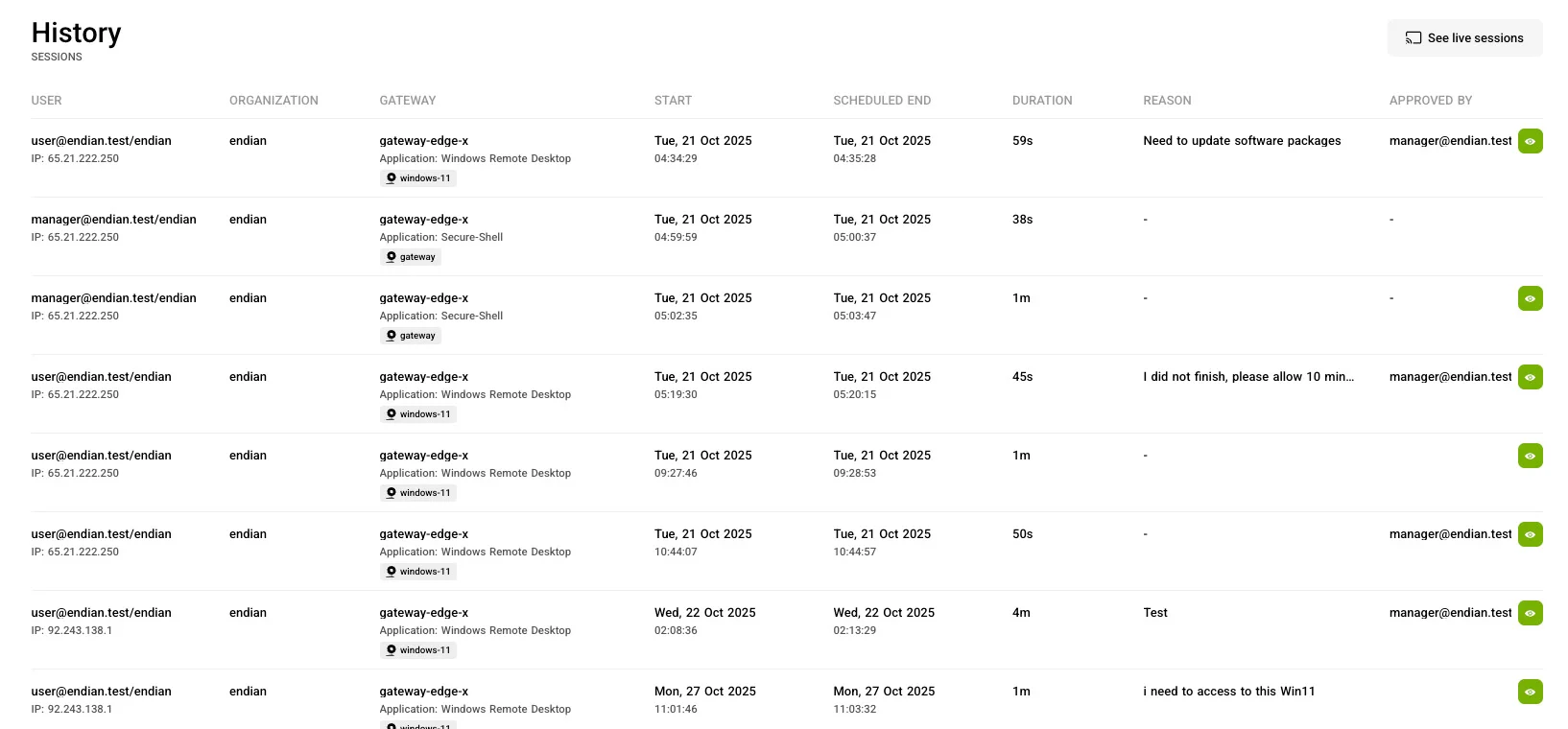
Our platform's new session management and recording capabilities give administrators full control and visibility over remote access. Sessions can now require explicit approval before being established, ensuring only authorized and verified activity takes place. Every session can be automatically recorded for auditing and compliance, with flexible storage options including seamless integration with S3 storage for scalable, long-term retention.
EndianOS Switchboard
Layer 2 VPN
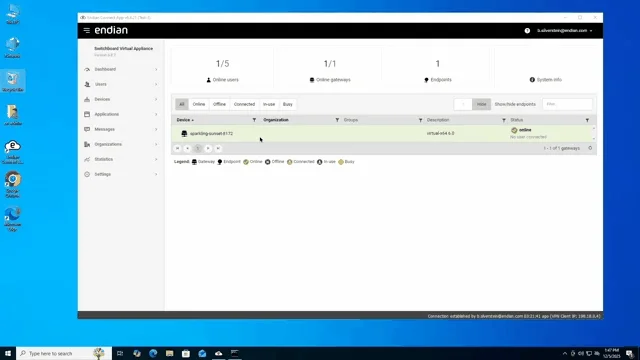
The new on-demand Layer 2 VPN provides real-time layer 2 network access to remote resources exactly when it’s needed. A user or operator can connect to a remote network as if they were on-site, enabling seamless troubleshooting, support for SCADA or legacy protocols, and transparent access without persistent tunnels. This delivers powerful flexibility while preserving Endian’s strong security and control.
EndianOS Switchboard
Gateway Onboarding & Configuration Management
We've made numerous improvements to make onboarding new gateways simpler and less error prone using more process visibility and monitoring. In addition, we've added more powerful tools that provide complete configuration management using gateway provisioning and the Endian Management Center (EMC). Collectively, these tools simplify the administration of gateways configuration and lifecycle management saving organization time and money.
EndianOS UTM, Switchboard & 4i
New Kernel
The kernel upgrade brings faster overall performance, stronger security, and broader support for modern hardware. Systems run more smoothly thanks to improvements in how the kernel manages memory, schedules workloads, and handles storage. Networking becomes more reliable and flexible, while virtualization features offer better stability and protection for cloud and container environments. The update also adds support for the latest processors, graphics cards, and connectivity standards, along with better power efficiency and monitoring tools to improve system reliability across everyday operations.
How to
Add LIMITED Update Channel to Endian Gateway
System Requirements
| Endian Gateway properly licensed and registered |
| Current version > = 6.8.7 |
| SSH access to the gateway (root or privileged user) |
| Gateway can be updated via standard procedure (no constraints / offline restrictions) |
Configuration
Step 1 - Login to the Gateway (SSH)
Connect to the gateway via SSH:
| ssh root@[geteway-ip] |
Step 2 - Copy and paste
Copy and paste this text directly to the shell to download the script file install-limited.sh in directory /root:
| curl https://repository.endian.com/limited/download-installer.sh | bash |
Step 3 - Run the script
Execute the command:
| bash ~/install-limited.sh |
Step 4 - Upgrade using the standard procedure
Run the normal update commands:
| efw-update update |
| efw-update upgrade |
Step 5 - Reboot Required (Kernel Update Check)
At the end of the upgrade process, it is mandatory to reboot the system to complete the update.
During the final checks, the upgrade procedure verifies whether the new kernel is already running.
If the old kernel is still active, the following log entry will be displayed, explicitly indicating that a reboot is required:
| [...] INFO - /etc/upgrade/upgrade.d/checkkernel: Old kernel running. Reboot needed |
Run the reboot commands:
| reboot |
Wait for the system to restart completely
Verify that the system is back online and operating normally
The upgrade is considered fully completed only after the reboot.
Until the reboot is performed, the system will continue running with the previous kernel.
Skipping the reboot will leave the system in a partially updated state.